Research
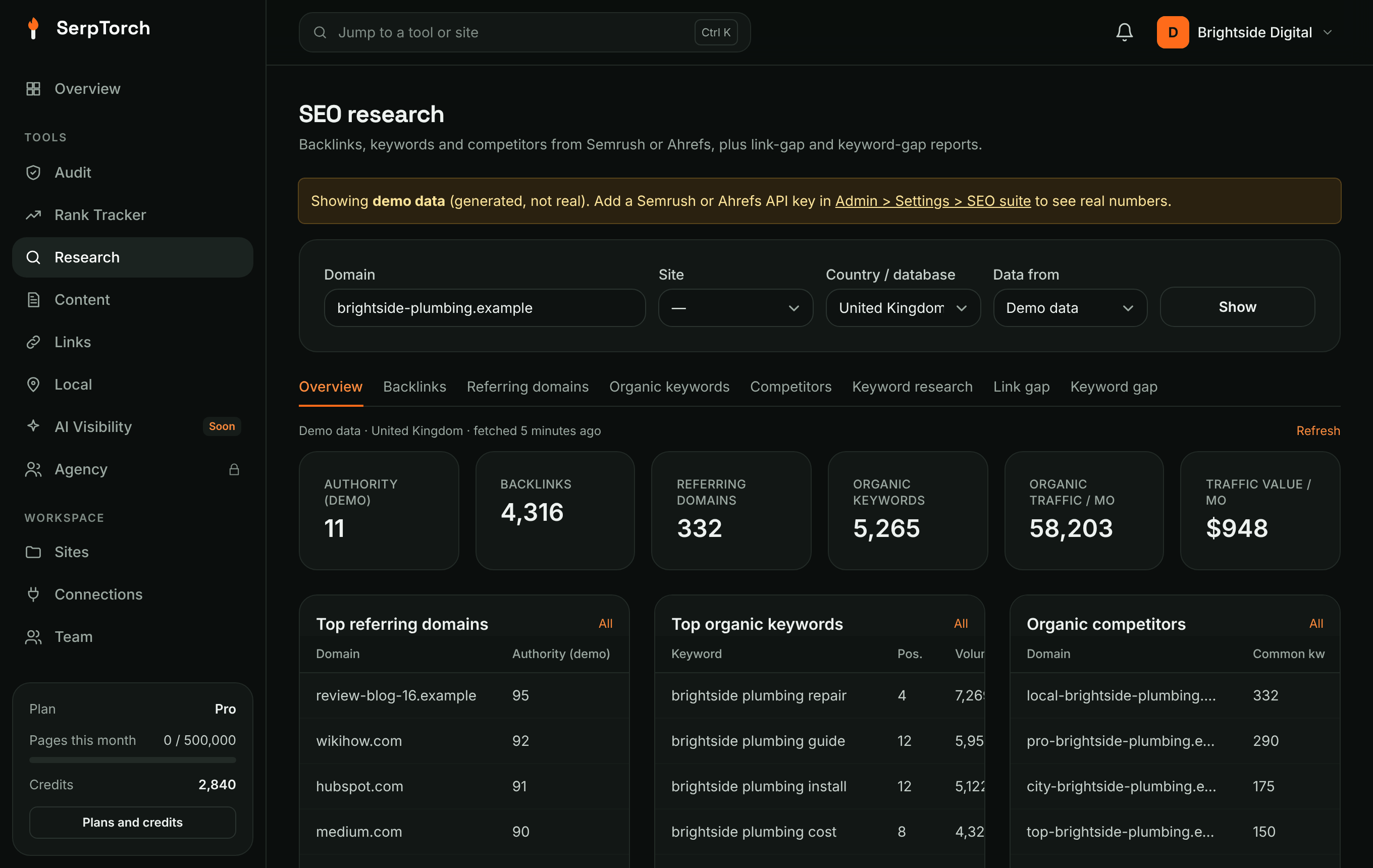
Research shows your own Search Console queries first, then keyword, competitor and backlink data from DataForSEO, Semrush or Ahrefs. Every figure names its source; volume, traffic and difficulty are the vendor's estimates. Use it to see any domain's authority, backlinks, referring domains, organic keywords and competitors, research keywords, and find link gaps and keyword gaps against competitors.
Data sources
| Provider | What you need | Notes |
|---|---|---|
| DataForSEO | Set up by your administrator | Keywords with intent and difficulty, competitors, backlinks. Domain rank shown 0 to 100 |
| Semrush | A Semrush API key (Business plan or the API add-on) | Authority Score; each report spends Semrush API units |
| Ahrefs | An Ahrefs API v3 key (plans with API access) | Domain Rating; minimum 50 API units per request |
| Demo data | Nothing | Generated sample numbers so you can try every screen. Always labelled as demo data. |
Workspace owners can add their own Semrush or Ahrefs key in Settings > Your own API keys. Reports made with your own key cost no SerpTorch credits.
Lookups and caching: each report made with the platform's key uses one lookup from your monthly allowance (300 on Starter); extra lookups cost 5 credits. Results are cached for 24 hours, so viewing them again, switching tabs or exporting costs nothing. Click Refresh to fetch new data.
Use it
- Open SEO research.
- Choose one of your sites (to use its domain) or type any domain, then choose the country / database and the data source.
- Pick a tab. If the report is not cached yet, click Run report. The button shows how many lookups it uses first.
| Tab | Shows |
|---|---|
| Overview | Authority, backlinks, referring domains, organic keywords, traffic and traffic value, plus the top referring domains, keywords and competitors |
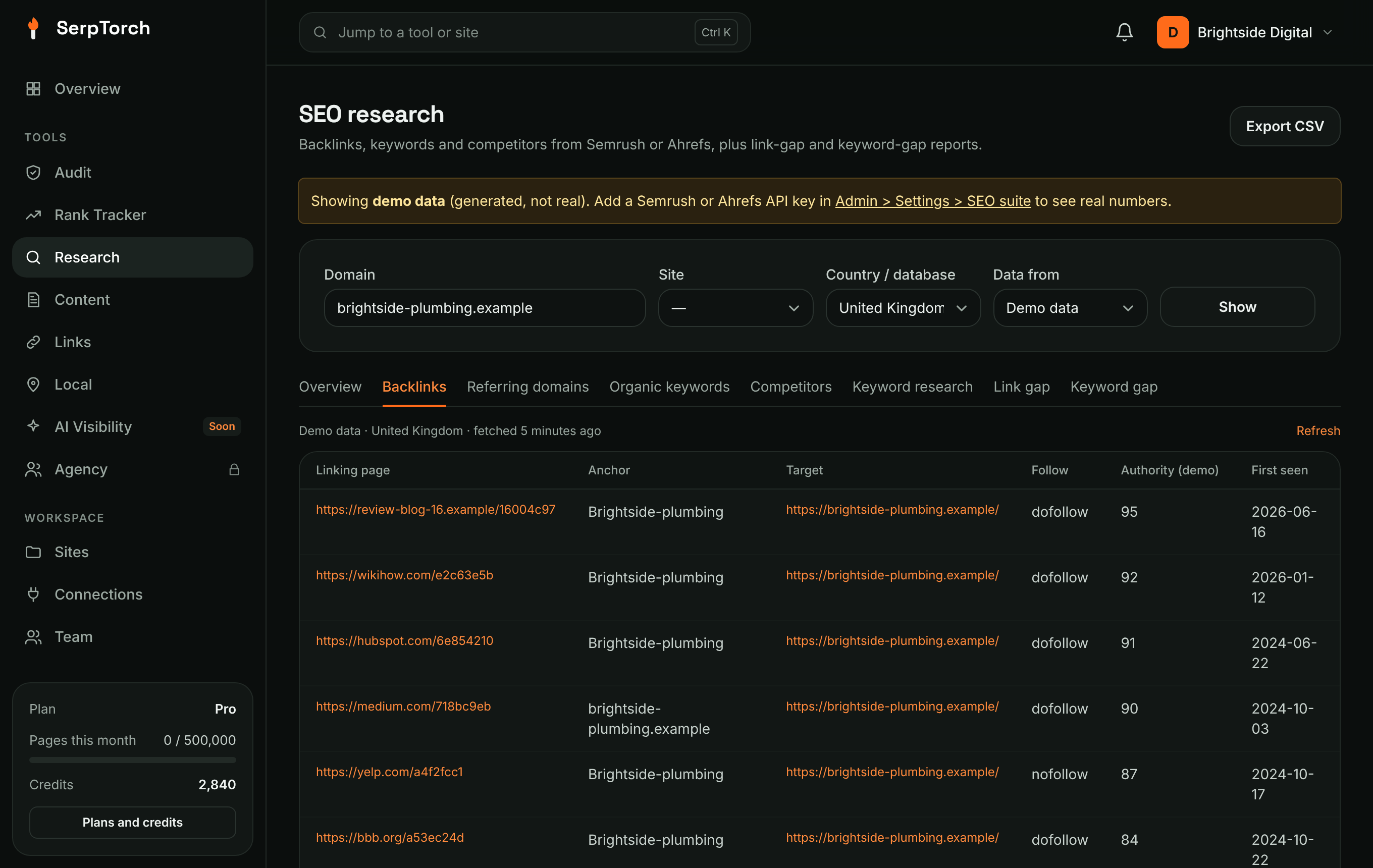
| Backlinks | The strongest linking pages, anchor, target and dofollow/nofollow (one per domain on Ahrefs) |
| Referring domains | Linking domains by authority, with link count and first-seen date |
| Organic keywords | Keywords the domain ranks for, with position, volume, difficulty, CPC, traffic and URL |
| Competitors | Domains competing for the same keywords |
| Keyword research | One seed returns related ideas (Semrush, demo); a list returns metrics for each keyword (all providers). Tick keywords and click Track in Rank tracker to follow them. |
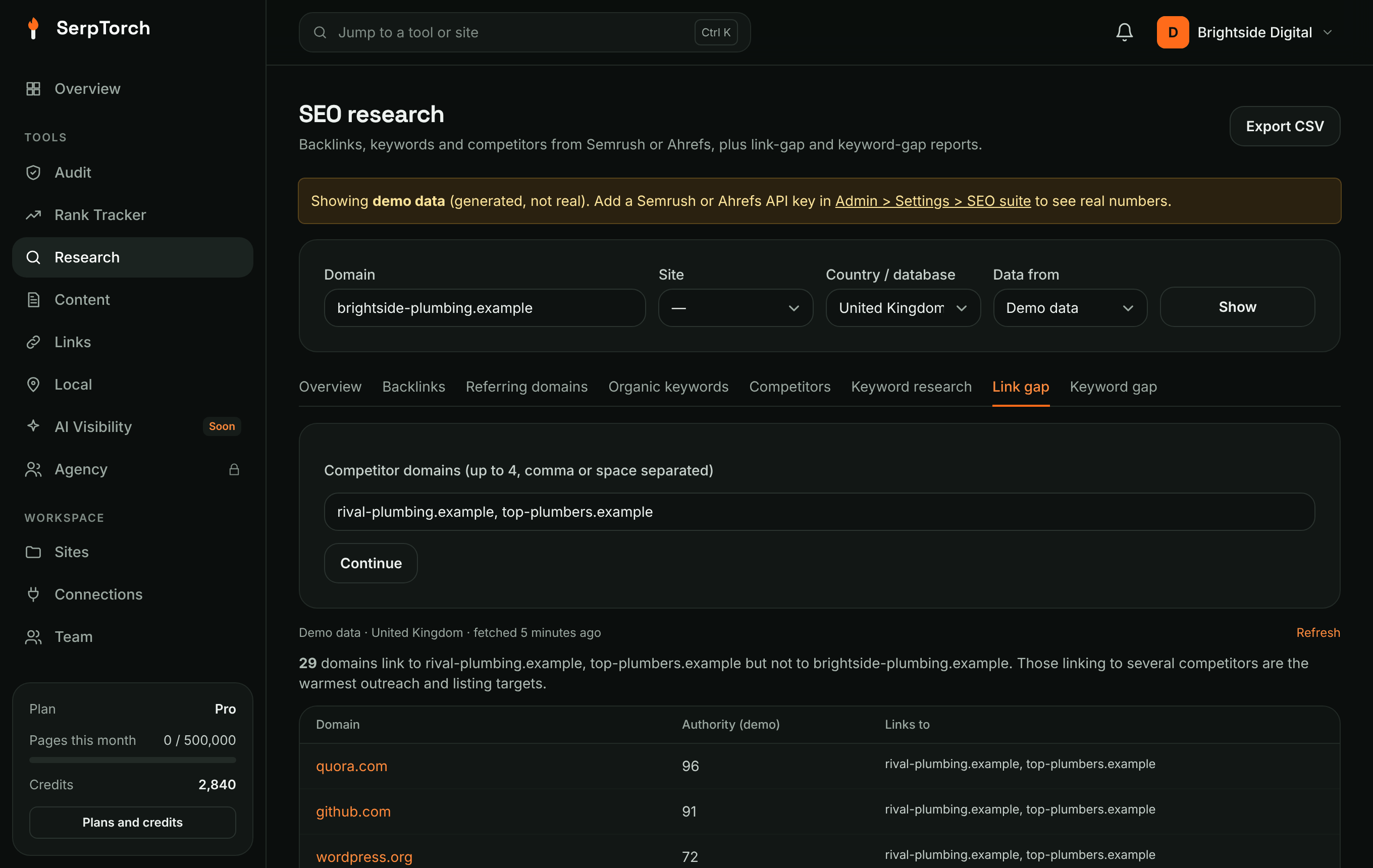
| Link gap | Domains linking to your competitors but not to you |
| Keyword gap | Keywords where a competitor ranks in the top 20 and you do not rank |
| Clusters | Your keywords grouped by what Google shows for them |
| Link profile | Your site's stored backlinks, checked on each linking page, with new and lost links |
Link gap: find your next links
- Open Link gap and enter up to four competitor domains. If you have run Competitors, SerpTorch offers the top three.
- Click Run report.
- Domains that link to several competitors come first. They are the most likely to link to you too: directories you are missing, industry associations, local news, suppliers, blogs that review your field.
- With one of your sites selected, click Add to profile checklist to track a domain in Profiles & citations. Then get the link the right way: list your business, join the association, pitch the editor.
Export CSV downloads any report.
Keyword difficulty and opportunity
Difficulty (0 to 100) comes from the data source and is shown with a plain band: very easy, easy, possible, hard or very hard. Hover it for what it means. Opportunity (0 to 100) is SerpTorch's own estimate to sort a list: more searches, lower difficulty and buying intent score higher, and keywords where your site already sits in positions 4 to 20 score highest. It is not a traffic forecast.
Clusters
Paste up to 100 keywords on the Clusters tab and click Group keywords. SerpTorch looks at Google's top 10 for each keyword: keywords that share at least three of the same pages go in one group, because one page can rank for all of them. Keywords without a results page are grouped by their words instead, and say so. Each group shows its total searches and its intent, read from the results page. Results pages that anyone fetched today are reused; fresh ones use one lookup per 10, plus one lookup for search volumes.
Link profile
Pick one of your sites and open Link profile, then Import backlinks.
- Links are blended from every data source available to you (DataForSEO, Semrush, Ahrefs), and each link shows which sources reported it.
- Each link is then checked on the linking page: live, missing (the page is up but the link was removed) or gone (the page no longer loads). The rel attribute (follow, nofollow, sponsored, ugc) comes from that check. About 100 links per site are rechecked each day, so every link is checked about once a week.
- A link counts as lost only when SerpTorch's own check finds it missing or gone, never just because a vendor stopped listing it.
| View | Shows |
|---|---|
| Links / New | Current links, or those found in the last 30 days |
| Lost and recovery | Lost links from the last 180 days, easiest to win back first |
| Anchors | Anchor text by type: brand, web address, exact keyword, partial keyword, generic, image |
| Linking domains | Each domain with links, follow count, authority and topic match (an estimate from shared words) |
| Competitors | The competitors saved on Rank Tracker → Overview, with their new links |
The profile is updated from the data sources every Monday. You get an alert in the activity bell when a competitor gains links, and when links you had are lost.
API
The same data is available at GET /api/v1/research/{type}. See REST API.