Rank Tracker
Rank Tracker follows each keyword's position in Google's top 100 by country, city and device, keeps the whole results page from every check, and shows how positions move over time. It is included in Starter, Pro and Agency, sold on its own from $19 a month, and the Free plan tracks 10 keywords.
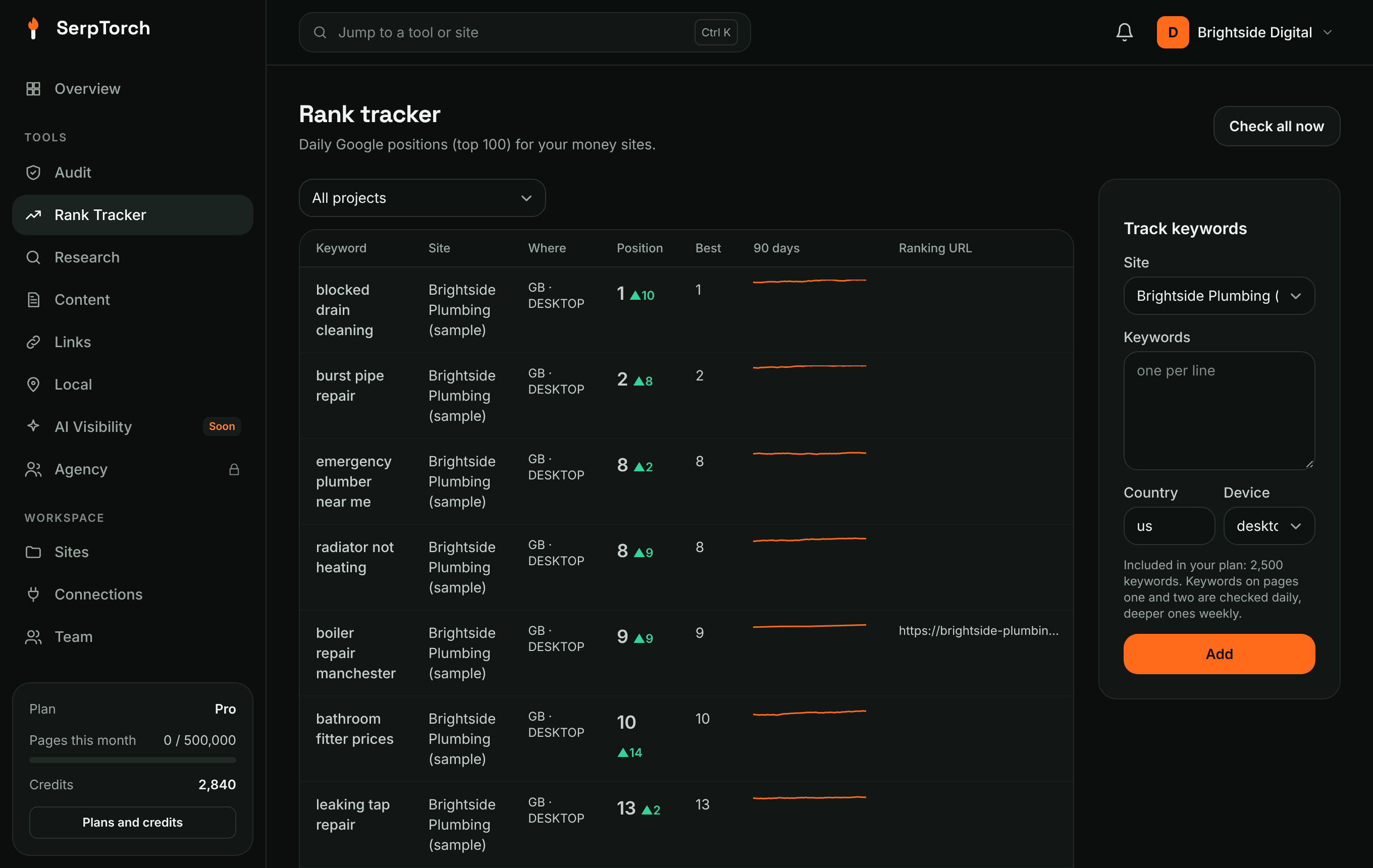
Add keywords
- Open Rank Tracker in the menu.
- Choose a site, paste keywords (one per line), choose the country and device. Choose Both to track desktop and mobile; each device counts as one keyword.
- Optional: a city (as Google names it, for example
Manchester,England,United Kingdom), a group, and the page that should rank. - Click Add. The first check runs within a minute or two.
The tabs
| Tab | Shows |
|---|---|
| Keywords | Position and change since the check before, best position, SERP features, a 90-day sparkline and the ranking page. Filter by site, group, intent, device or "Wrong page ranks". |
| Overview | Ranking distribution (top 3, 10, 20, 100), share of voice against your competitors, volatility, biggest movers, SERP features you hold, and mobile versus desktop |
| Cannibalization | Keywords where two of your pages compete, from the tracker and from Search Console |
| Search Console | Your real clicks and positions for every query. See Search Console. |
| Hand checks | A weekly sample of keywords to check in Google yourself, and how closely the tracker agrees |
Click a keyword to open its page: the position chart with your audits, applied fixes and notes marked on it, the full history, and the results page from any day.
SERP features and AI Overviews
Each check records the features on the results page: AI Overview, featured snippet, People also ask, local pack, images, videos, shopping, top stories and knowledge panel. A green label means you hold it: your page is the snippet, or the AI Overview cites your site. With the Serper data source, AI Overviews cannot be seen and show as "AI ?".
Map keywords to pages
Tick keywords, then With selected → Map to page to set the page that should rank. When Google ranks a different page of your site, the keyword is marked "Not the mapped page". Use groups for topics and set the intent (informational, commercial, transactional, navigational or local). Intent is filled in from the results page on the first check; change it if it is wrong.
Share of voice
Share of voice is the share of the estimated clicks on your keywords' results pages (top 20) that each domain gets, weighted by search volume where known. It is an estimate based on a standard click-through curve, not measured traffic. Save up to five competitors on the Overview to follow them. Get volumes adds monthly search volume from the research data source (one lookup per 100 keywords).
Import history from another tool
Export your rank history as a CSV file and use Import rank history. The first row must name the columns: keyword, date, position (or rank); url, country and device are optional. "-" or an empty position means not in the top 100. Days SerpTorch checked itself are never overwritten, and new keywords count against your plan.
Alerts
Once a day SerpTorch looks for big swings: when a site's keywords moved 3 places or more on average, and when a keyword on the first two pages dropped 10 places or more. You see them in the activity bell, and Agency workspaces can receive them as webhooks.
How often keywords are checked
Rankings are refreshed by movement: keywords on pages one and two (and new keywords) are checked every day, and deeper ones once a week. On the Free plan every keyword is checked weekly. Checks never use credits; the number of keywords is set by your plan (10 on Free, 1,200 on Starter, 2,500 on Pro, 6,000 on Agency).
Hand checks
Each week the Hand checks tab lists up to 50 keywords. Search each one in a private window set to the same country, city and device, and enter the position of your site's first result (or "-"). The tracker's answer is shown only after you save, and a check matches when the two are within one place. This is how SerpTorch measures its own accuracy.
Tips
- Track the phrases customers really type, including the town or city for local services.
- Pair a drop with the Audit: the keyword chart shows the fixes and audits around the date it moved.