AI Visibility
AI assistants such as ChatGPT, Claude, Perplexity and Gemini answer questions by reading web pages. If their crawlers cannot reach your site, they cannot read it, quote it or link to it. AI Visibility starts with that check, and it is on every plan, including Free.
The AI crawler access check
Every audit reads your robots.txt and tests it against the crawlers AI companies use. Open AI Visibility to see the result for each of your sites.
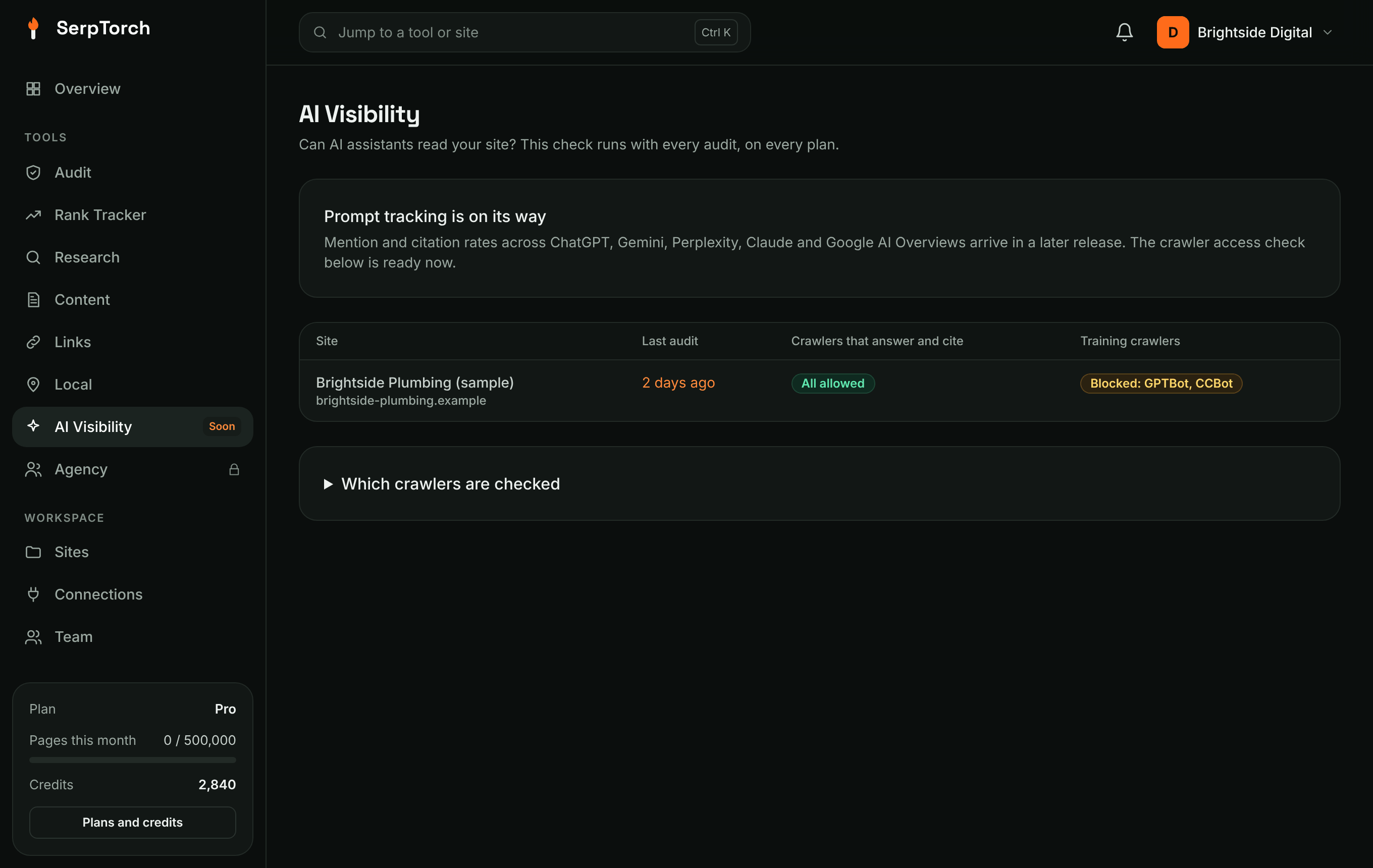
The crawlers fall into two groups:
| Group | Crawlers checked | What blocking them means |
|---|---|---|
| Answer and cite | OAI-SearchBot, ChatGPT-User, Claude-SearchBot, Claude-User, PerplexityBot, Perplexity-User | The assistant cannot read your pages when it answers, so it is unlikely to mention or link to you. Usually a mistake. |
| Training | GPTBot, ClaudeBot, Google-Extended, Applebot-Extended, CCBot | Your pages are not used to train AI models. Many sites choose this on purpose; it does not stop assistants citing you. |
If an answer crawler is blocked, the audit lists AI assistants are blocked from reading the site as a warning, with the crawlers named. A blocked training crawler is a notice, so you can confirm it matches your policy.
How to unblock a crawler
Open your robots.txt (at https://yourwebsite.com/robots.txt) and remove the Disallow: / line under that crawler's User-agent, or the whole group. On WordPress, SEO plugins such as Yoast and Rank Math have a robots.txt editor. Run the audit again to confirm.
Prompt tracking
Prompt tracking asks AI assistants the questions your customers ask, and measures how they answer. It is part of Pro (25 prompts) and Agency (100), and the AI Visibility single tool (10 or 25). Packs of 25 more prompts are in Billing → Add-on packs.
Add prompts
- Open AI Visibility → Prompts and pick the site.
- Type the questions, one per line, for example "Who is the best emergency plumber in Manchester?".
- Choose the assistants: ChatGPT, Perplexity, Gemini, Claude and Google AI Overviews (whichever your administrator has set up), the country and the language.
- Click Add. The first answers arrive in a few minutes.
Each prompt is marked branded (it names you) or non-branded, and given an intent (informational, commercial, transactional, local or navigational), read from its words. Change either on the prompt's page, where you can also set the page that should be cited.
What is measured
Each run asks every chosen assistant the same question several times (three by default), with web search on, and keeps every answer. Three rates are kept apart and never combined into one score:
| Rate | Counts an answer when |
|---|---|
| Mention rate | Your brand is named anywhere in the answer |
| Recommendation rate | You are listed as an option or recommended. Your place in the list is shown too. |
| Citation rate | A page of your site is cited as a source |
Every rate is a share of answers with a likely range (95% confidence). With few answers the range is wide; it narrows as answers add up. Open any prompt to read the answers behind the numbers, and tick two to compare them side by side.
Also shown: share of voice against your competitors, sentiment of the sentences that name you (from positive and negative words, an estimate), and the source map of every site the assistants cite.
How often prompts run
Prompts whose answers keep changing run every day. Once answers stay alike for three runs in a row, the prompt runs weekly, which keeps costs down without losing changes. You can set a prompt to daily or weekly yourself.
Competitors and your facts
On the Prompts tab, list up to five competitors as domain = name (the name as assistants write it). Add facts about you as label: value, for example Call-out fee: £79, Hours: Mon–Sat 8am–6pm, Founded: 2009, Phone: 0161 555 0100. Answers that state a different price, phone number, opening hours or founding year, or say something negative about you, are listed under Answers to check.
Citations
AI Visibility → Citations shows:
- Source map: every domain cited, how often, by which assistants and for how many prompts.
- Your pages cited, and for prompts mapped to a page, how often that exact page is the one cited.
- Citation gaps: prompts where a competitor is named and you are not, with the sources those answers cite. Getting listed on, or covered by, those sources is the way into the answer.
- Competitor citation overlap: of the sources cited when a competitor is named, how many are also cited when you are.
You also get an alert (and the ai.citation_change webhook on Agency) when an assistant starts or stops citing one of your pages.
Visits from AI assistants
AI Visibility → AI visits connects Google Analytics 4 (read-only) and shows the sessions and key events that came from ChatGPT, Perplexity, Gemini, Copilot and Claude, and the pages they landed on. Assistants that send no referrer are counted as direct visits by Google Analytics, so these figures are a floor.
Weekly report
Every Monday a report for the week before is built and emailed to the workspace's owners and managers: the three rates with their change, results by assistant, share of voice, pages newly cited or no longer cited, citation gaps, answers to check and AI assistant visits. Past reports are under AI Visibility → Weekly reports.