How to use SerpTorch
SerpTorch is one account for search engines and AI assistants. It audits and fixes your site, tracks your rankings, researches keywords and competitors, writes content, builds and monitors links, maps your local rankings and checks that AI assistants can read your site.
The eight tools
| Tool | What it does | Where it lives |
|---|---|---|
| Audit | Crawls your site, gives it a health score out of 100, explains every issue and fixes titles, descriptions and image alt text in WordPress with one click. | Menu: Audit |
| Rank Tracker | Follows your keywords in Google by country and device. Keywords near the top are checked more often. | Menu: Rank Tracker |
| Research | Keyword ideas, competitors, backlinks, link gap and keyword gap for any domain. | Menu: Research |
| Content | Writes articles, descriptions and FAQs with the AI provider you choose and keeps them in a library. | Menu: Content |
| Links | Plans link campaigns as a diagram, publishes to sites you own or have connected, and checks every link stays live. | Menu: Links |
| Local | Shows where you rank in Google Maps across a grid of points around your business. | Menu: Local |
| AI Visibility | Checks that the crawlers behind ChatGPT, Claude, Perplexity and Gemini can read your site. Prompt tracking is rolling out. | Menu: AI Visibility |
| Agency | Client portals, branded client reports, the API and webhooks. | Menu: Agency |
You can buy any tool on its own or a plan that bundles them. A tool your plan does not include stays in the menu with a lock; opening it shows what it looks like and how to add it. See Plans, tools and limits.
Where to start
- Follow Your first 10 minutes: add your site, run an audit, track keywords.
- Fix what the audit finds with Audit and one-click fixes.
- Check what your plan includes in Billing, usage and credits.
Finding your way around
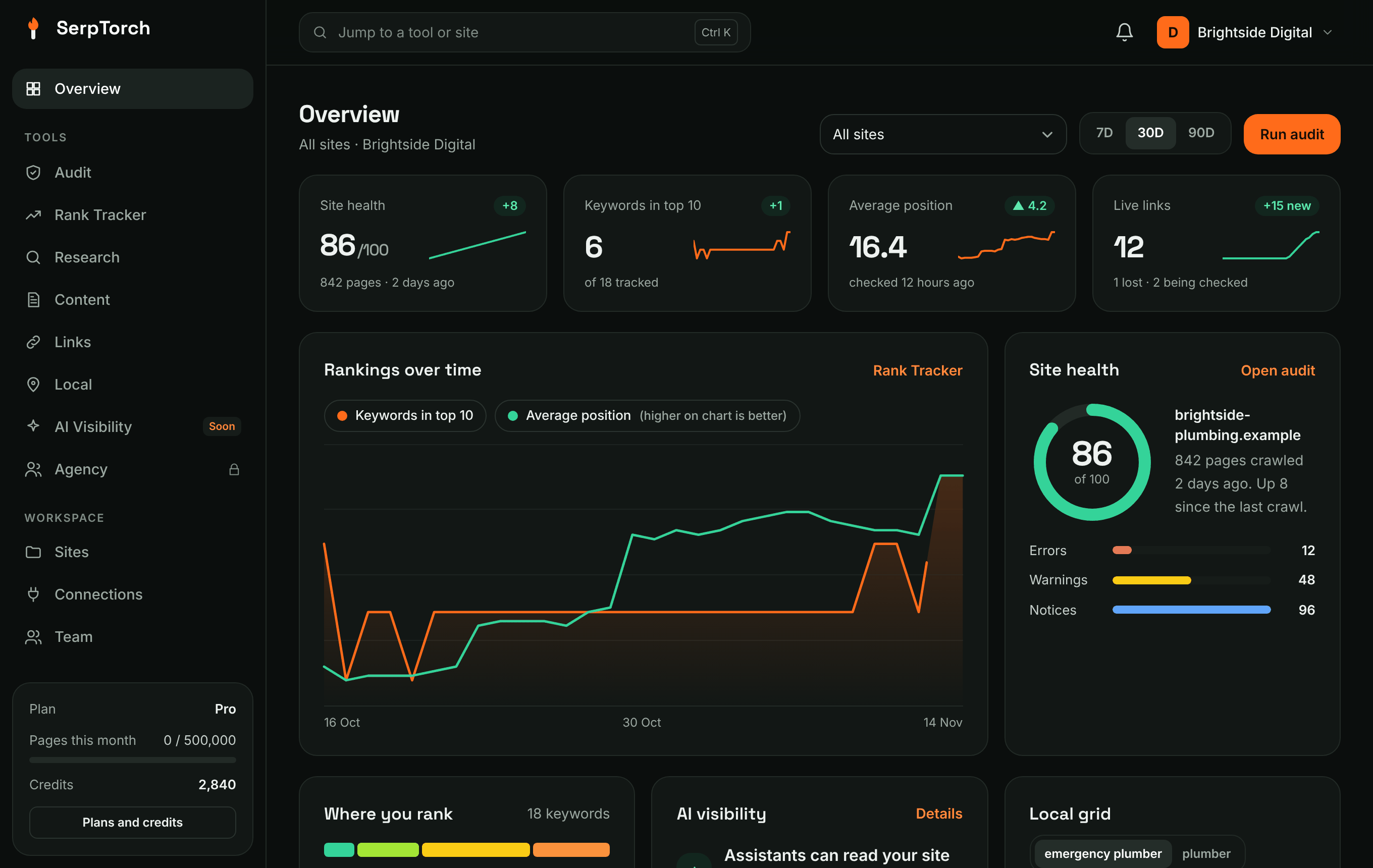
- Overview is your home screen: site health, rankings, links, local grid, AI crawler access and what to fix next, for one site or all of them.
- Ctrl + K (or ⌘ + K on a Mac) opens a search box that jumps to any tool or site.
- The bell at the top shows recent activity, such as finished audits and failed posts.
- Your plan, pages used this month and credits are at the bottom of the menu.
Acceptable use
SerpTorch publishes only to properties you own or have connected through the platform's official sign-in. It does not create accounts on other people's sites, does not solve captchas and does not post comments on other blogs. Read Acceptable use before you start.