Campaigns and the diagram editor
A campaign turns a diagram into scheduled posts. Each box (node) is a group of posts; each arrow says what those posts link to.
Create a campaign
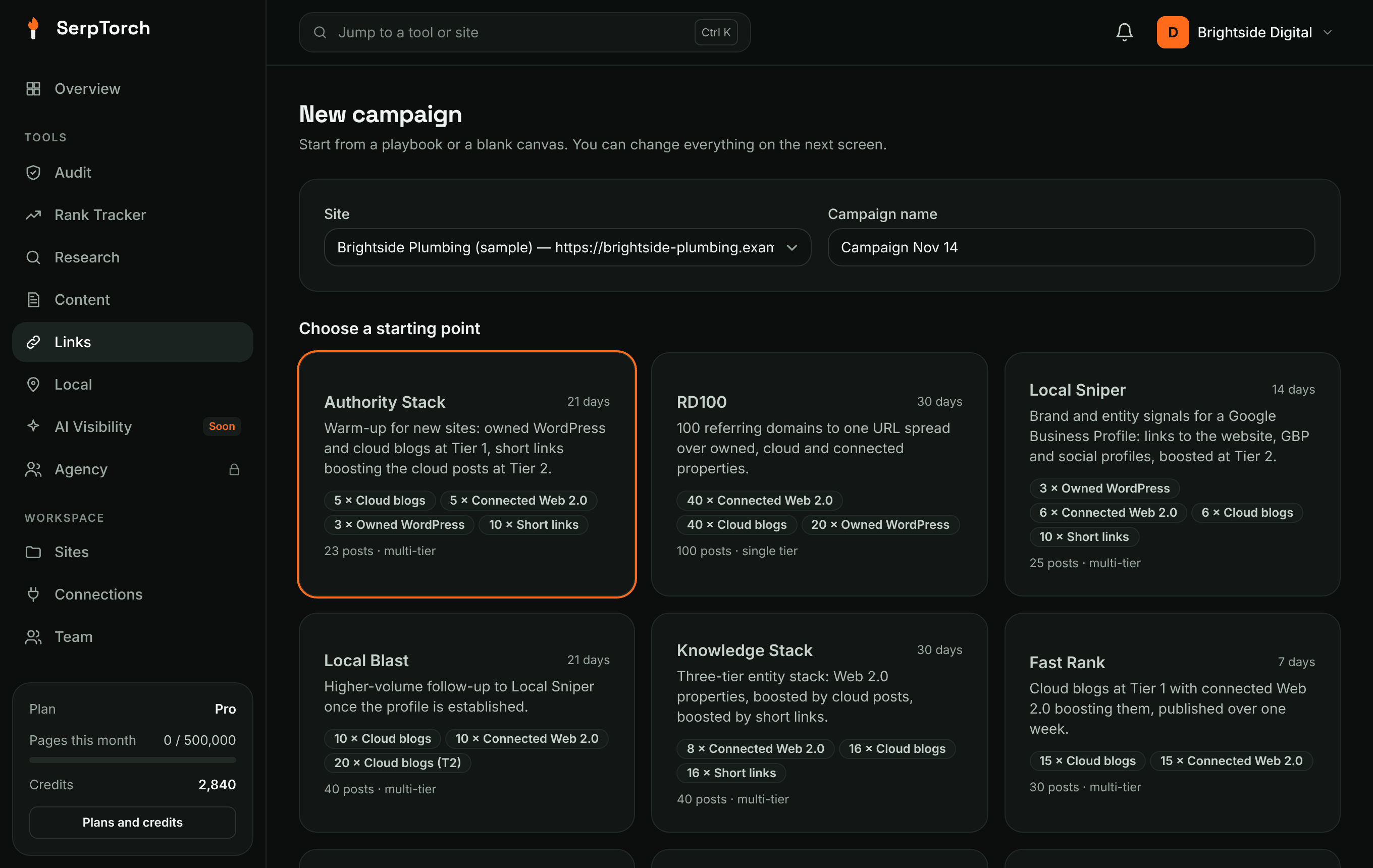
Campaigns → New campaign: pick the site, name the campaign and choose a playbook or Blank canvas.
The diagram editor
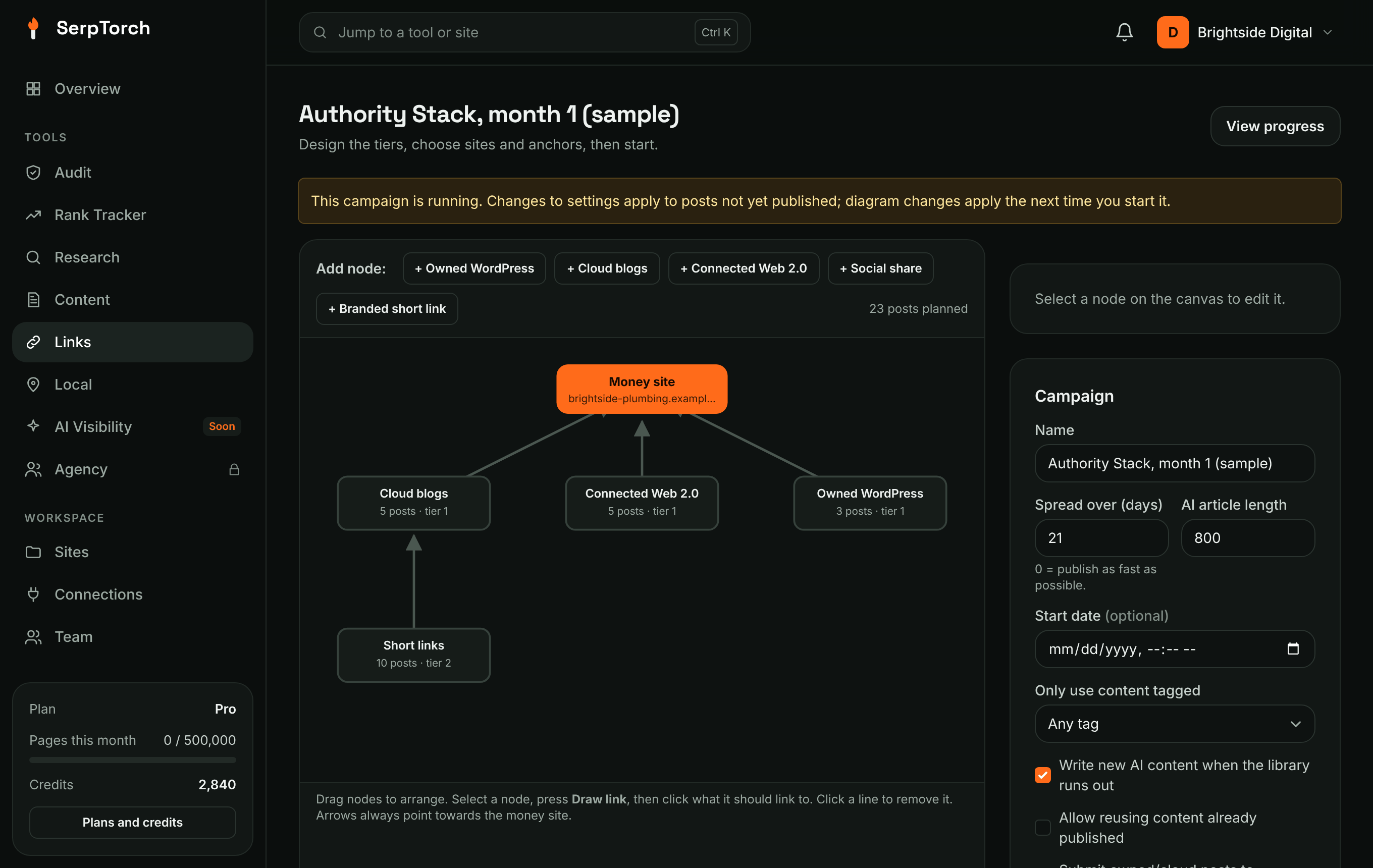
- Money site (the orange box) is your site. Arrows that end there are tier 1.
- Add node buttons add a group of posts of that type: Owned WordPress, Cloud blogs (including Netlify), Connected Web 2.0 (Blogger, WordPress.com, Tumblr, Ghost, DEV.to, Hashnode, Telegraph, Write.as, Notion, Gist, Google Docs), Social share (Mastodon, Bluesky) or Branded short link.
- Drag nodes to arrange them.
- Draw link: select a node, click Draw link, then click the box it should link to. Arrows must point towards the money site (tier 2 → tier 1 → money site). Up to 4 tiers.
- Click a line to remove it.
Node settings
| Setting | Meaning |
|---|---|
| Label | Name shown on the canvas. |
| Type | Which kind of site publishes these posts. |
| Posts | How many posts this node creates (1-1000). |
| Content | Which content type to use. |
| Links per post | Tier 1 only: extra branded links to your other target pages (1-5). |
| Publish to | Tick specific sites, or leave all unticked to rotate across every connected site of that type. |
Campaign settings
| Setting | Meaning |
|---|---|
| Spread over (days) | Posts are spread evenly across this many days. 0 = as fast as the queue allows. |
| Start date | Optional future start. |
| AI article length | Used when content is written on demand. |
| Only use content tagged | Restrict to a tag from the library. |
| Write new AI content when the library runs out | On by default. |
| Allow reusing content | Off by default (each item used once). |
| Submit to IndexNow | For owned and cloud sites. |
| rel="nofollow" | Adds nofollow to the links. |
Anchor mix
Sliders for primary, partial, branded, generic, naked URL, domain and LSI anchors. They must add up to 100%. SerpTorch follows the mix closely even for small campaigns. Tier 2+ links use mostly generic anchors automatically.
Start, pause, resume
Start campaign checks the diagram, plans every post and schedules them. You need the Links tool (Pro, Agency or Links on its own) and at least one usable site for every node.
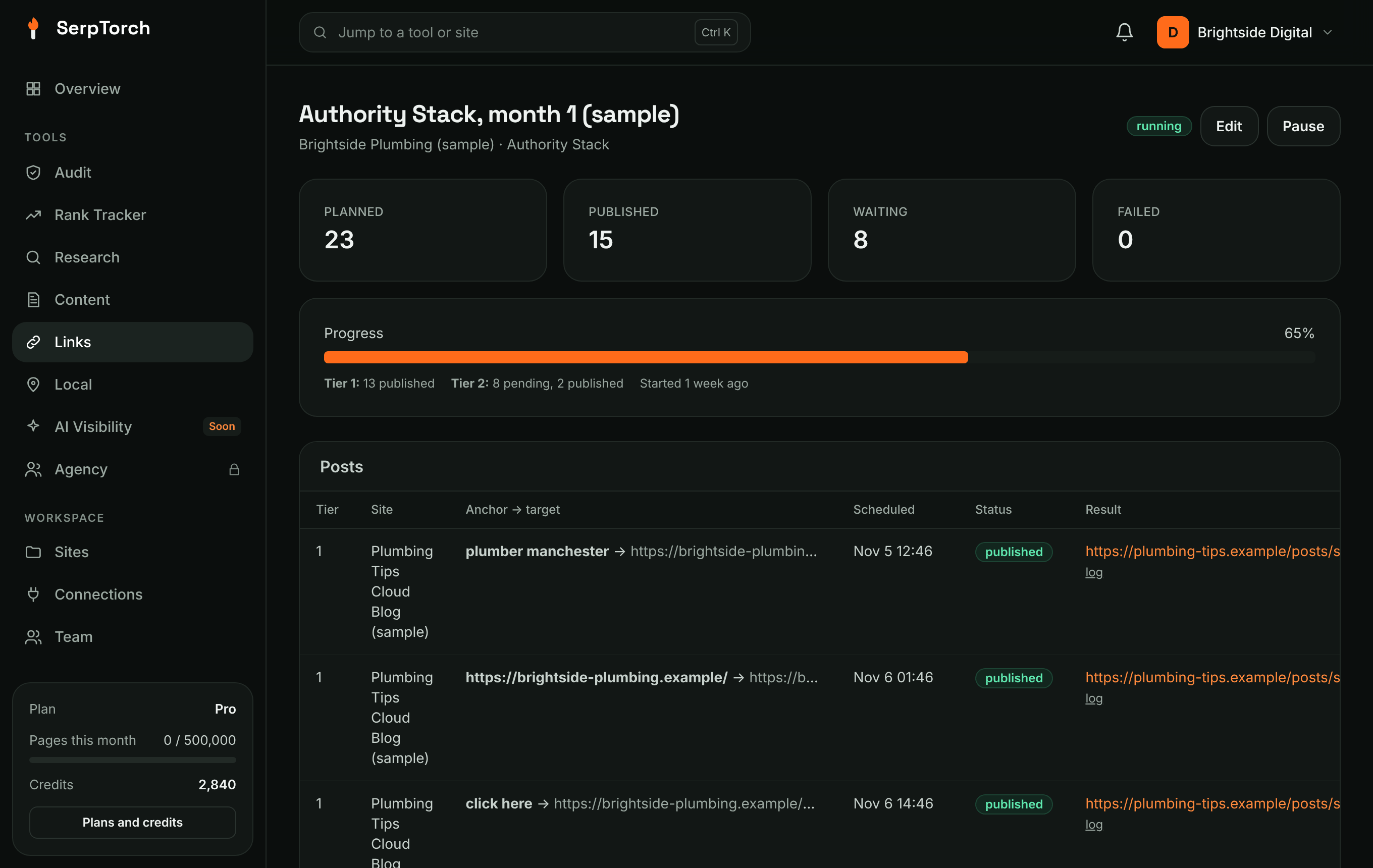
- Tier 2 posts wait until the tier 1 post they point to is published, then link to it.
- Failed posts are retried 3 times (30, 60 minutes apart) and failed posts are given back to your monthly allowance. Retry failed queues them again.
- Footprint Guard caps new links per target URL per day (default 25), pushing extra posts to the next day.
- Pause stops new posts; published ones stay live. Duplicate copies the setup into a new draft.