Local Grid heatmaps
Local Grid shows where a business ranks in Google Maps for a keyword, measured from many points around it.
Add a business
Local Grid → Add business:
- Business name exactly as on Google Maps.
- Place ID (recommended) or CID, for exact matching. Without them, SerpTorch matches by name.
- Latitude and longitude of the business (in Google Maps, right-click the pin and click the coordinates to copy them).
- Keywords, one per line.
- Default grid size (3×3 up to 21×21), spacing (metres, km or miles) and zoom.
Run a heatmap
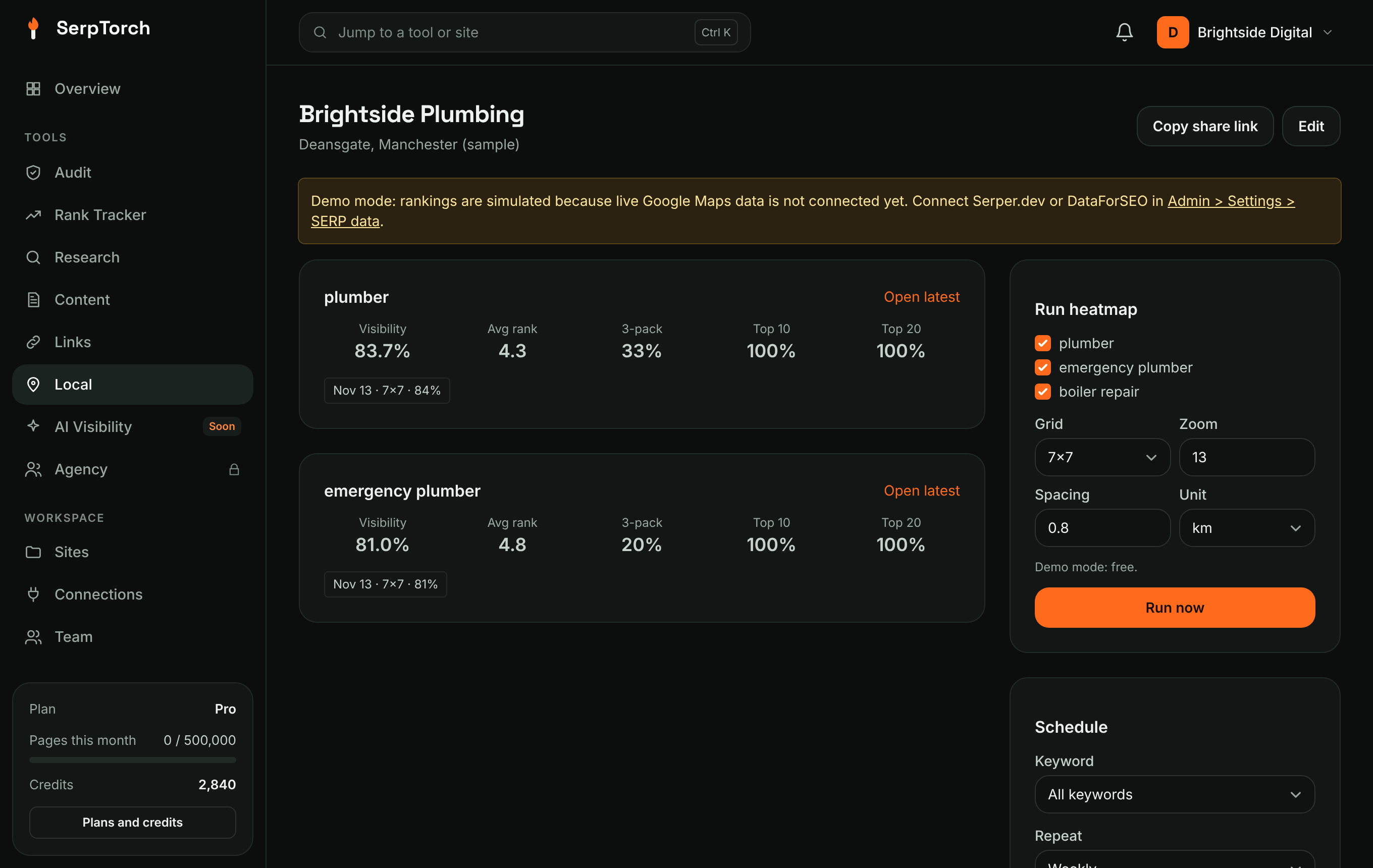
Tick keywords on the business page and click Run now. Each grid point comes out of your monthly allowance (a 7×7 grid uses 49 points per keyword; Pro includes 8,000 a month). Extra points cost 1 credit per 3. If the run fails, its points are given back. Results appear in a few minutes.
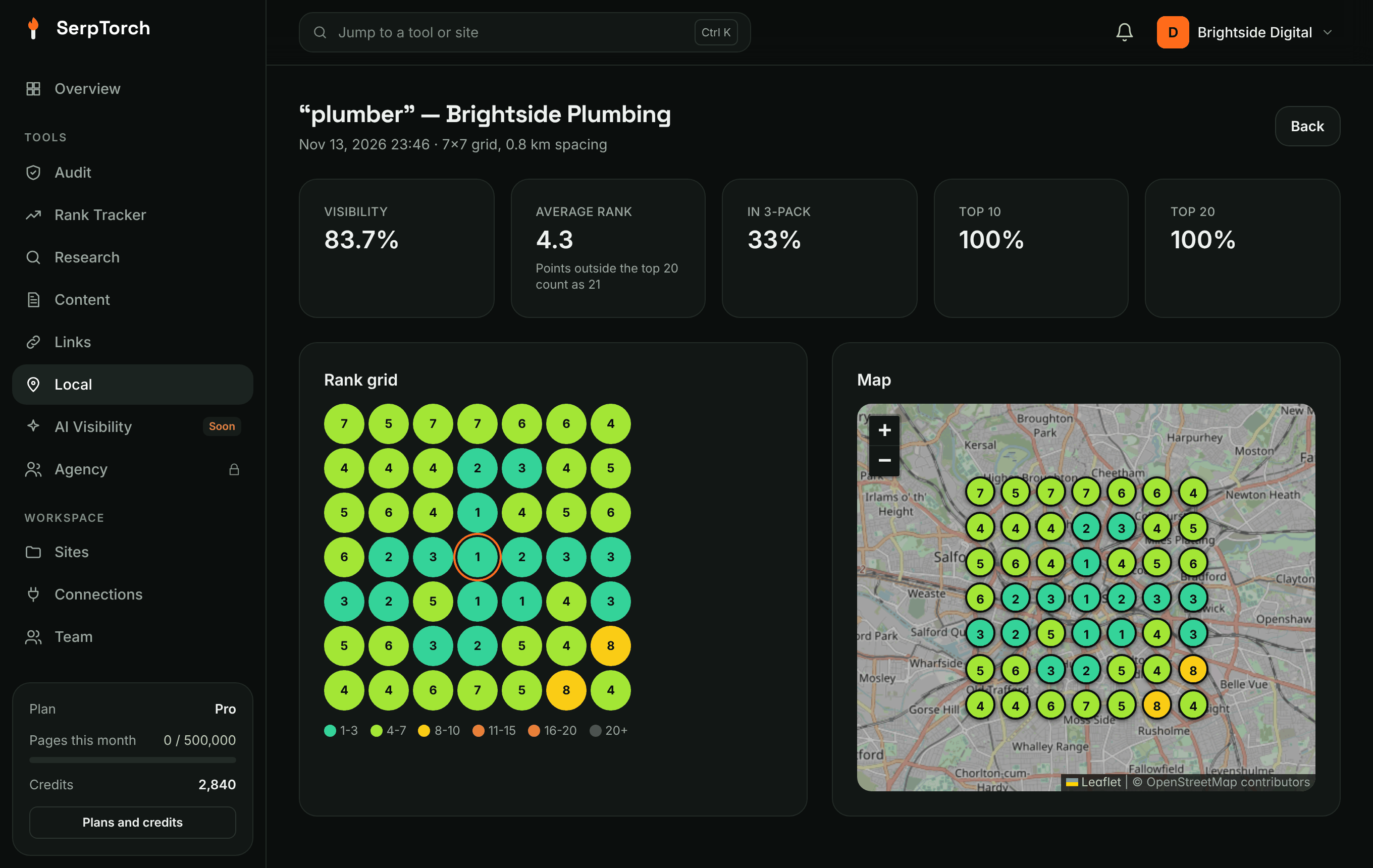
| Metric | Meaning |
|---|---|
| Visibility | 100% = rank 1 everywhere. Each point scores (21 − rank) / 20; outside the top 20 scores 0. |
| Average rank | Mean rank, counting "not in top 20" as 21. |
| 3-pack / Top 10 / Top 20 | Share of points where the business ranks in that range. |
Hover a dot on the map to see the top three businesses at that point.
Schedules
Add a schedule on the business page: on specific dates, weekly (pick weekdays) or monthly (pick days, or "last day of month"). Times use the server time zone. A scheduled run uses the business's default grid settings.
Share
Copy share link gives a public, read-only page with your branding that you can send to the business owner.
Demo mode
Until the administrator adds a SERP provider (Serper.dev or DataForSEO), heatmaps use simulated ranks and cost nothing. A yellow banner shows when demo mode is on.