Your first 10 minutes
This walk-through takes a new account to its first audit, its first tracked keywords and a list of fixes.
1. Create your account
Go to the sign-up page, enter your name, email and a password, and tick the box to accept the terms. If you type your website on the sign-up form, SerpTorch adds the site and starts its first audit straight away, so the results are waiting for you.
Every account starts on the Free plan: a 500-page audit each month, 10 keywords checked weekly and the AI crawler access check. No card is needed.
2. Add your site
If you did not give your website at sign-up, go to Sites → Add site.
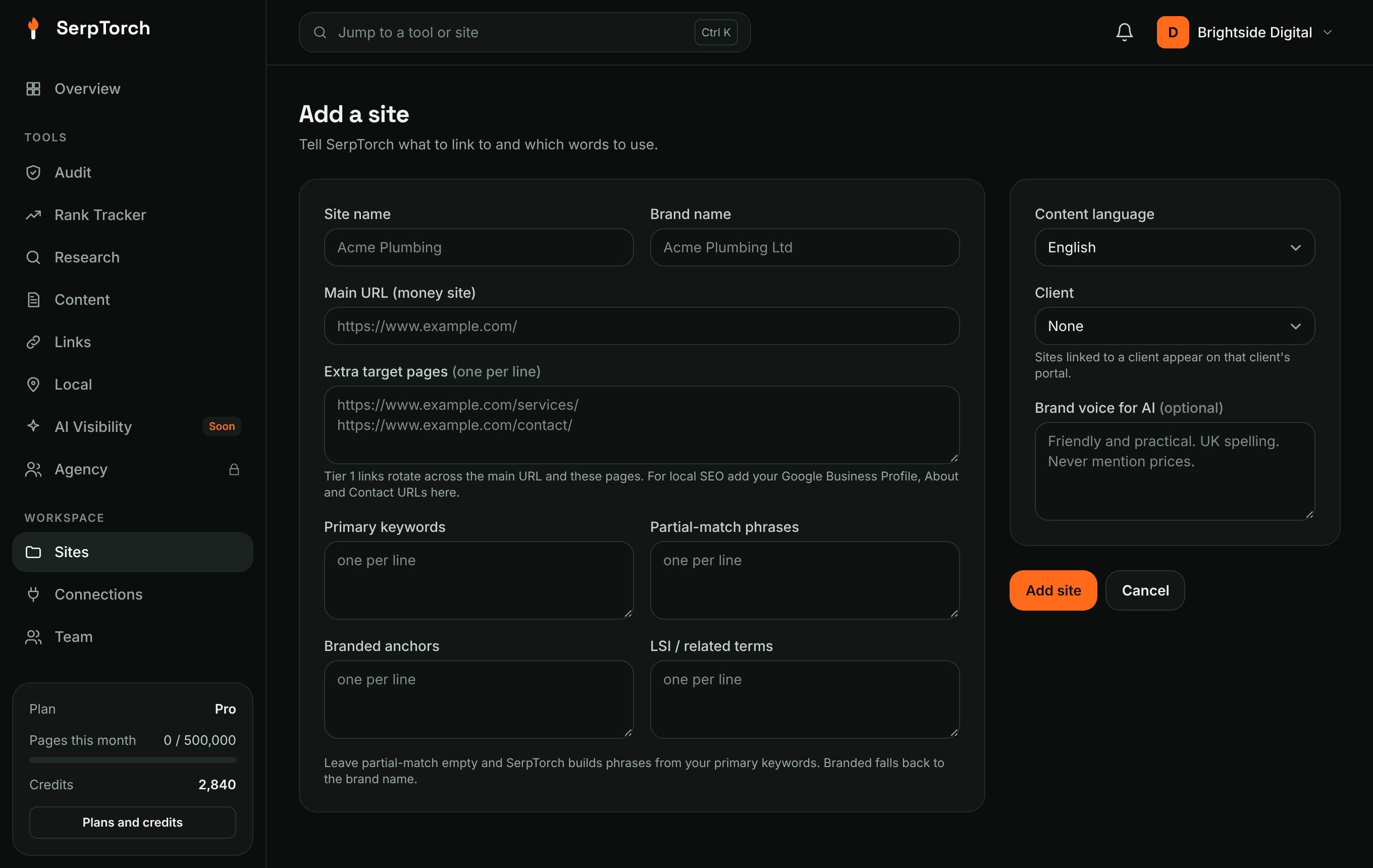
- Enter a name and the main address (for example
https://yourwebsite.com/). - Add the keywords you want to rank for, one per line. Links and Content use them too.
- Optional: add brand voice notes. AI uses them when it writes for this site.
- Click Add site.
3. Run an audit
Open Audit, choose the site and how many pages to crawl, and click Start audit. A small site finishes in a few minutes; the page updates by itself while it runs.
When it finishes you see a health score out of 100, the issues grouped by how serious they are, and on the Overview a Fix next list ranked by how many points each fix adds.
4. Track your keywords
Open Rank Tracker, choose the site, paste your keywords one per line, pick the country and device, and click Add. Positions appear after the first check and build into a chart over the following days.
5. Connect WordPress for one-click fixes (optional)
If your site runs on WordPress, connect it under Connections → Add a connection → Self-hosted WordPress (see Connections). Back in the audit, issues such as missing meta descriptions show Suggest with AI and Apply: SerpTorch drafts the fix, you check or edit it, and it is saved to your site. Each applied fix records what was written and where.
6. Check AI crawler access
Open AI Visibility. After an audit it shows whether robots.txt lets the crawlers behind ChatGPT, Claude, Perplexity and Gemini read your site. See AI Visibility.
Connect your accounts
Open Connections in the menu. For each site it shows what is connected: Search Console for Google's own clicks and positions, Google Analytics for visits from AI assistants, your website for one-click fixes, and Business Profile for Local. See Connecting your accounts.
What next
- Want more pages, keywords or tools? See Plans, tools and limits.
- Building links? Start with Links: campaigns.
- Local business? Run a map grid with Local.