Content library and AI
Content plans, briefs, grades and drafts pages, and keeps the library that link campaigns publish from.
| Tab | What it does |
|---|---|
| Library | Every piece of content, with its stage and grade |
| Briefs | What a page needs to compete, read from Google's top 10 for a keyword |
| Topical maps | The topics around a subject, one page each, and which ones your site already covers |
| Grader | A grade from 0 to 100 for any draft or live page (how it works) |
| Opportunities | Pages losing clicks, and pages competing with each other (needs Search Console) |
Pages are written in the content editor, which scores them as you type, or with the AI article writer.
From brief to CMS draft
- Briefs → New brief. Type the keyword, pick the site, country and language. SerpTorch reads the top 10 pages and shows the length they run to, the topics and entities most of them cover, the headings they share and the questions people ask. Your own pages are left out.
- Start a page from this brief. You get an outline built from the shared headings and questions. Edit it.
- Write the draft. Write it yourself, or click Write draft from outline: the AI writes one section at a time from your headings, using the brief's topics, and marks anything it is not sure of with [source needed]. This uses one AI article from your plan (free with your own AI key).
- Fact check. Every sentence with a number, price, date, "the best", a quote or "research shows" is listed. Verify each with a source link, change it, or mark it as not a claim. Pages with open claims cannot go further.
- Grade and improve. The grade updates every time you save. Add the internal links suggested from your own pages, and the author, reviewer and sources.
- Send for review. An owner or manager approves it.
- Send to CMS as a draft. Approved pages go to a WordPress, Ghost or webhook connection one at a time, as drafts. Check and publish them in your CMS. There is no "publish all", and nothing is published live from here.
Changing the text of an approved page sends it back to review.
Topical maps
Type a subject. SerpTorch gets keyword ideas from your research data source, groups them by what Google shows for each (keywords whose top 10 share pages belong on one page), marks the biggest group as the pillar, and shows which topics a page of your site already covers (from Search Console or the Rank Tracker). Build a brief for any topic in one click. A map uses one research lookup for ideas and one for every 10 new results pages.
Opportunities
- Content decay: pages whose clicks in the last 90 days fell by a quarter or more against the 90 days before. Refresh brief builds a brief from the query the page lost most on, so you can see what the top pages now cover.
- Content cannibalization: queries where two or more of your pages share the impressions. Merge them, or make each answer a different need and link them together.
Library and campaigns
Link campaigns publish items from the library. Each item is used once unless the campaign allows reuse, so your posts stay unique.
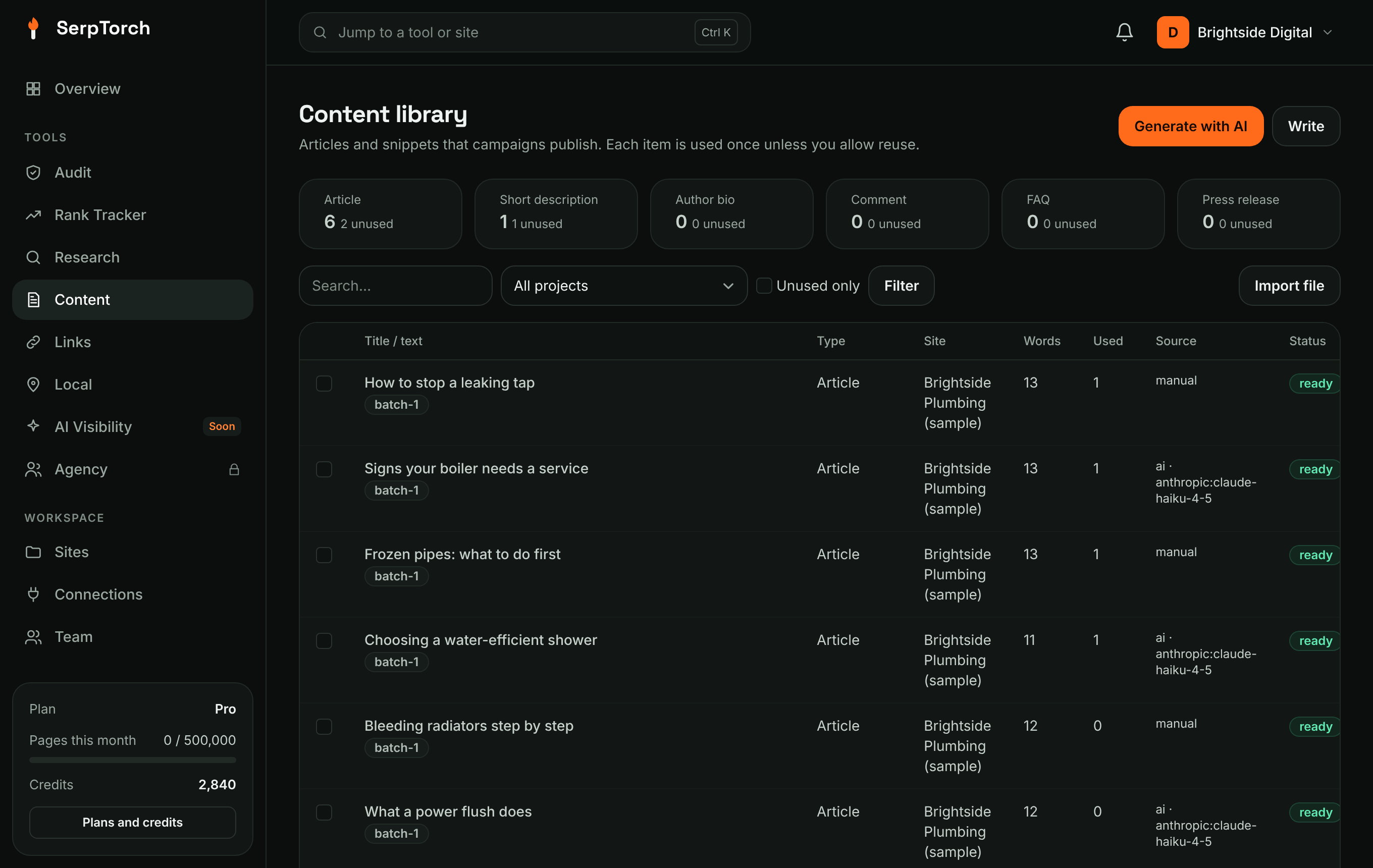
Content types
| Type | Used for |
|---|---|
| Article | Blog posts on WordPress, cloud blogs and Web 2.0 sites |
| Short description | Short posts, profile text |
| Author bio | Author boxes |
| Comment | Not published to third-party sites; kept for your own properties |
| FAQ | FAQ-style posts |
| Press release | Press-release style posts |
Generate with AI
Content → Generate with AI.
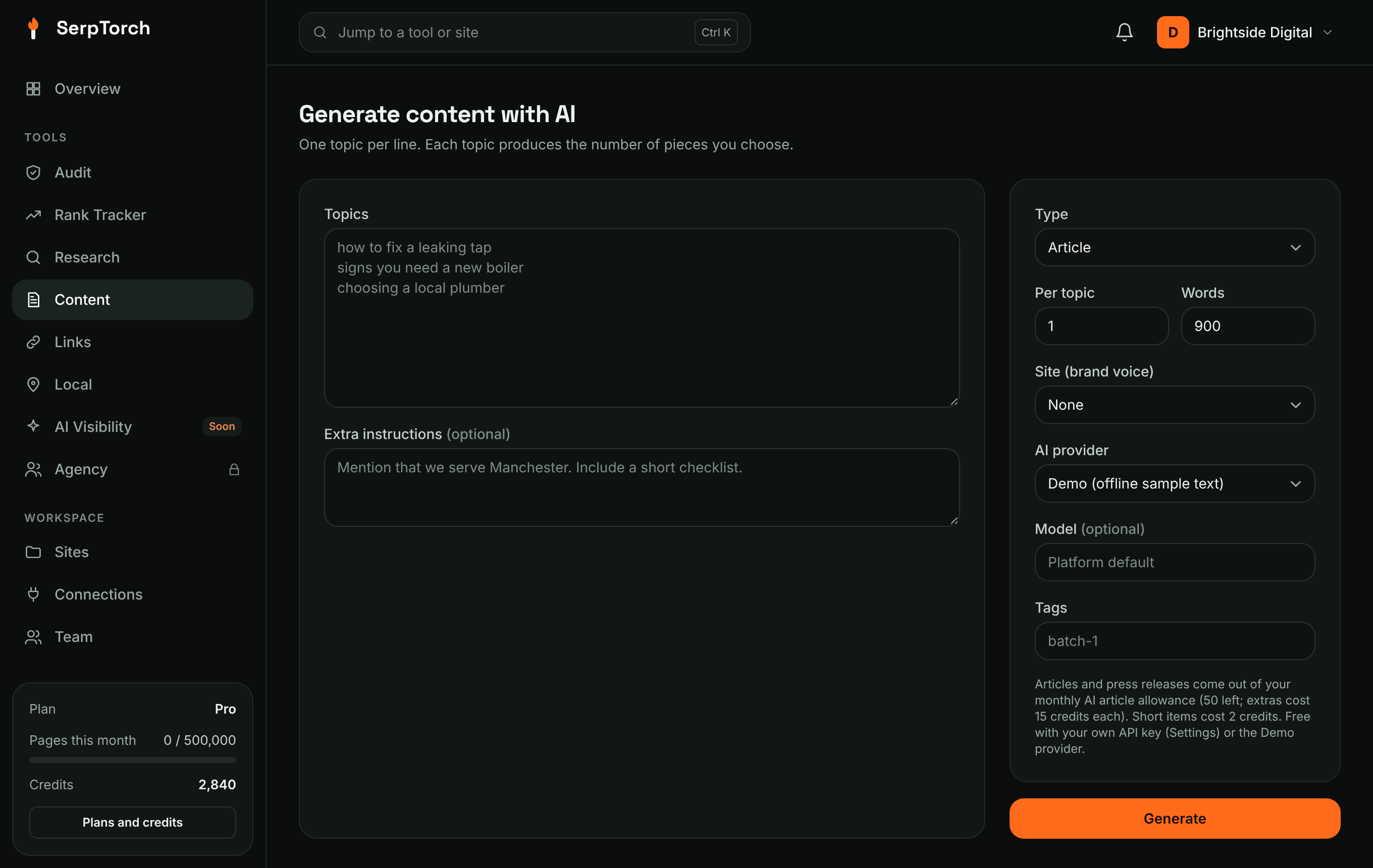
- Enter topics, one per line (up to 20 per run).
- Choose the type, how many pieces per topic and the length in words.
- Pick a site to use its brand voice and language.
- Choose a provider and optionally a model (otherwise the platform default is used).
- Add tags (for example
batch-1), so a campaign can be limited to those items. - Click Generate. Long batches take a minute or two.
The AI is told not to invent statistics, quotes, prices or reviews, and not to include links (SerpTorch inserts the link itself when publishing).
Cost: articles and press releases come out of your monthly AI article allowance (20 on Starter, 50 on Pro, 150 on Agency; extras cost 15 credits each). Short items cost 2 credits. If you add your own API key in Settings → Your own API keys, AI writing does not count against your plan at all. The Demo provider writes placeholder text for free; do not publish demo text to real sites.
Write or import
- Write: a simple HTML editor (
p,h2,h3,ul,li,strong,em). Scripts and unsafe HTML are removed automatically. - Import file: a CSV with a
bodycolumn (and optionaltitle,type,tagsseparated by|), or a single.txt/.htmlfile.
Spintax
Text like {quick|fast|speedy} is expanded to one option each time it is published. Nesting works: {a {big|large}|one} house.
How links are inserted
When publishing, SerpTorch looks for the anchor text in a paragraph and turns it into the link. If the anchor is not in the text, it adds a short natural sentence with the link to a paragraph in the middle of the post.